
Recovery Mechanic4.64.6 - Download
You'll be able to download in few seconds.
Publisher Description
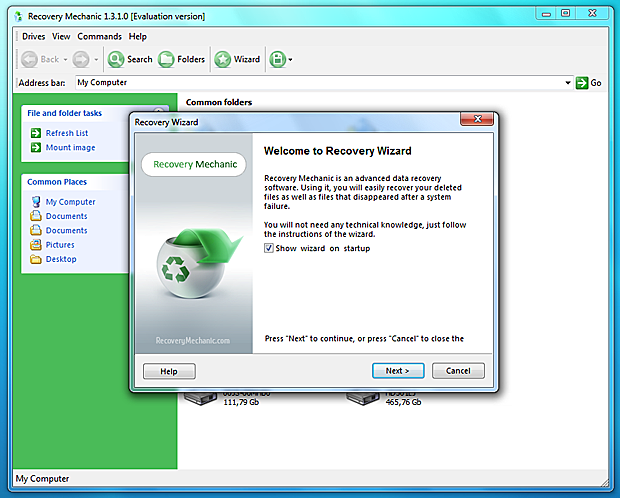
Undelete files and folders from FAT and NTFS disks! Recovery Mechanic makes it possible to recover all types of files from healthy and damaged media such as hard drives, flash memory, SSD drives, memory cards, and digital cameras. Even if the disk is formatted or inaccessible, Recovery Mechanic will still be able to scan it and recover your files and folders! Supporting all versions of Windows since Windows 95, Recovery Mechanic can recover files and folders stored on all kinds of disks formatted with all versions of FAT or NTFS. Windows Vista and 2008 Server are also supported. Recovery Mechanic brings the latest advances in data recovery technologies to your fingertips by implementing a fully guided, step-by-step wizard. The wizard makes recovering lost and deleted information not only possible but easy and fast to everyone with a mouse. Just a few clicks will launch the complete scan of your entire system in order to locate and recover missing files and folders. Special algorithms match information read from the hard disk against an extensive database of file formats in order to detect the beginning and end of each recoverable file. Documents, pictures, music, video, archives, email, and many more types of files can be rescued from disks that were badly damaged, reformatted, or that are plain inaccessible. Even if the disk does not show up as a drive letter, you may be able to recover important files from it! Recovery Mechanic comes with full preview of recoverable files. You can preview documents with objects, email with attachments, play back audio and video files, and enter compressed archives before Recovery Mechanic attempts to recover them. Live preview works in both full and free versions of Recovery Mechanic, making it easier for you to ensure that the product meets your needs.
About Recovery Mechanic
This Backup & Restore program is available in English. It was last updated on 29 September, 2026. Recovery Mechanic is compatible with the following operating systems: Windows.
The company that develops Recovery Mechanic is Recovery Mechanic Labs. The latest version released by its developer is 4.64.6.
The download we have available for Recovery Mechanic has a file size of 7.3 MB. Just click the green Download button above to start the downloading process. The program is listed on our website since 2015-09-16 and was downloaded 0 times. We have already checked if the download link is safe, however for your own protection we recommend that you scan the downloaded software with your antivirus. Your antivirus may detect the Recovery Mechanic as malware if the download link is broken.
How to install Recovery Mechanic on your Windows device:
- Click on the Download button on our website. This will start the download from the website of the developer.
- Once the Recovery Mechanic is downloaded click on it to start the setup process (assuming you are on a desktop computer).
- When the installation is finished you should be able to see and run the program.
Program Details
System requirements
Download information
Pricing
Version History
version 4.64.6
posted on 2015-09-16
1) Full Preview recovered files before You buy
2) Support Windows 7, Windows 8 and Windows 10
version 3.0
posted on 2006-06-30
New Release
Disclaimer
External Download
We do not host Recovery Mechanic on our servers. We did not scan it for viruses, adware, spyware or other type of malware. This app is hosted by the software publisher and passed their terms and conditions to be listed there. We recommend caution when installing it.
The external download link for Recovery Mechanic is provided to you by apps112.com without any warranties, representations or guarantees of any kind, so access it at your own risk.
If you have questions regarding this particular app contact the publisher directly. For questions about the functionalities of apps112.com contact us.
